 Shade frequency
Shade frequency
Shade frequencyWorking areas Module coverage, Module mounting or Module configuration
A shading analysis shows the annual direct irradiance reduction on the basis of the seasonal shade frequency on the areas of the coverable object.
For every grid point on the current PV area, the irradiance reduction is calculated as an annual average and can then be graphically evaluated by the user.
-> Prerequisites:
All the objects that cause shading have been positioned and subsequently scaled.
-> How to proceed:
Go to the menu "Shade Frequency", in either the working area Module Coverage, Module Mounting or Module Configuration.

Only the "Calculate" button is activated.
Set, where the shade frequency shall be calculated:
In the Module Mounting editing mode, shade frequency is calculated for:
 the level of the active solar surface, LED is not lit
 on the module rows, LED is lit
 In the Module Coverage editing mode, this button is always disabled (grey).
Please click on the "Calculate" button. The calculation may take some seconds.
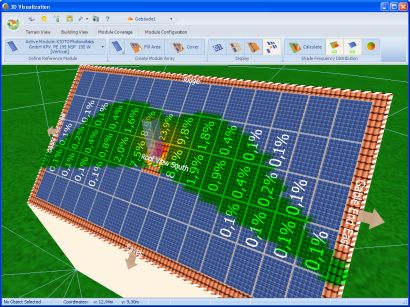
Then the direct irradiance reduction is displayed both in figures and colors for each point on the grid of the current PV area.
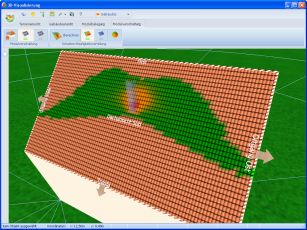
After the calculation of the shading frequency distribution colored fields are shown on the PV area. Every color symbolizes a particular annual irradiance reduction. If a formation is adjusted, the display of the annual irradiance reduction on the modules changes.
Click on the  symbol to set the color values. The symbol only becomes active following shading analysis.
Once the results of the shade frequency are available, they can be shown or hidden by the user at any time.
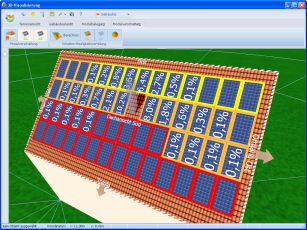
 Combined display of configuration and annual module shading ratios
Place the modules and arrange them in formations on the basis of the shade frequency. Single modules affected by the shading too much, can also be deleted.
! As soon as a shading-relevant object is newly positioned or its dimensions are changed, rotated or adjusted, the user is automatically prompted to remove the current shade frequency, because from this moment on it is no longer applicable.
! At the moment, a shade frequency can only be simultaneously calculated for one PV area!
The display of the shade frequency is also useful with regard to the module wiring. It enables the optimal string wiring to be determined step by step.
Exchange modules within the individual strings without adding new modules or removing existing ones.
Goal: You can - depending on the layout - exchange individual modules until all similarly shaded modules are contained within one string each.
Several display levels have therefore been introduced to enable the practical combined display of shade frequency and module configuration.
|
Module coverage or Module mounting >Shade frequency
|
 |
Module coverage or Module mounting >Shade frequency
|
 |
Module configuration >Shade frequency
|
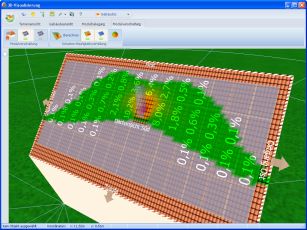
 Display only irradiance reduction and color distribution.
 Display only color distribution.